
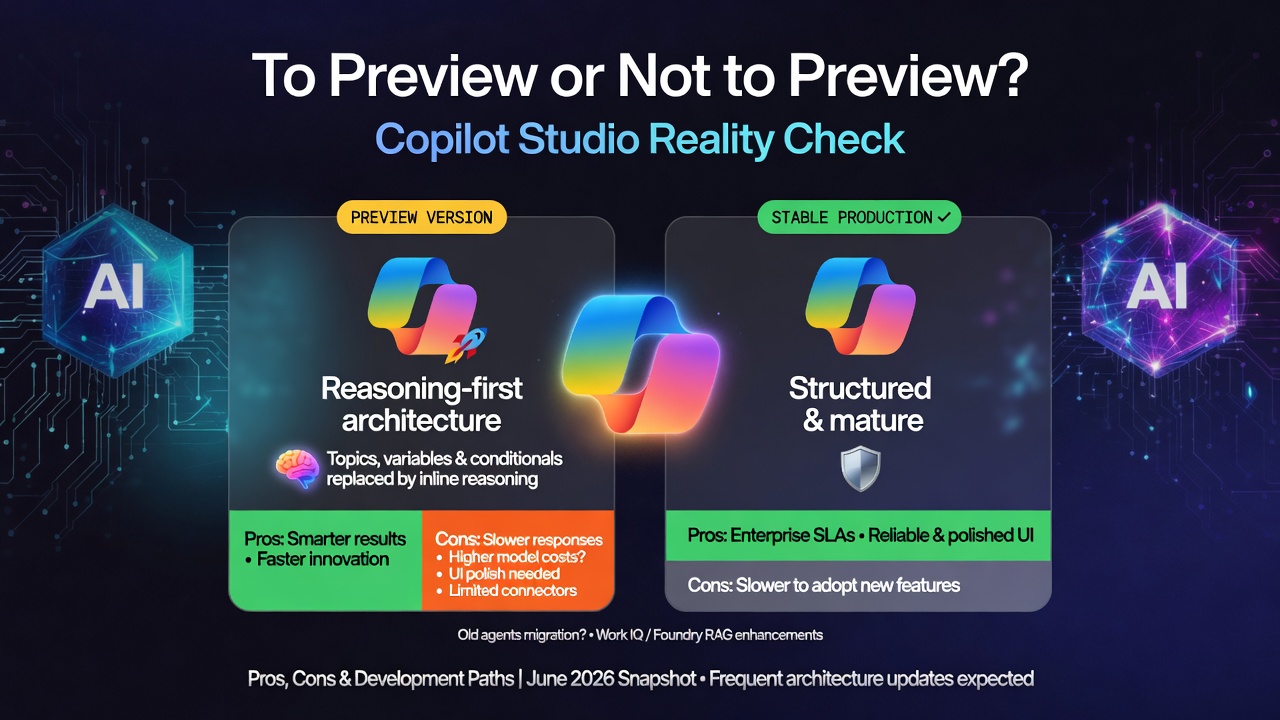
Microsoft has been steadily evolving Copilot Studio throughout 2026. With the launch of a new visual workflow canvas and an AI-driven agentic orchestrator, Microsoft has fundamentally reimagined the platform. This evolution moves Copilot Studio beyond basic conversational chat, transforming it into a robust hub for 'Work IQ' and autonomous, multi-step business execution.
This article offers a side-by-side comparison of my experience with the newly redesigned Copilot Studio. Written from the perspective of the developer of TraceIT AI User Support, it provides a snapshot of the platform as of 14 June 2026. I expect ongoing documented and undocumented updates from Microsoft, along with feature refinements and further polishing of the new Copilot capabilities, driven by user and enterprise feedback.
You can access the preview here: https://copilotstudio.preview.microsoft.com
The preview introduces a significant architectural shift. In the following sections, I will examine the differences identified so far, one by one. First, however, let’s explore what the new agent can reveal about itself and the tools available by default:
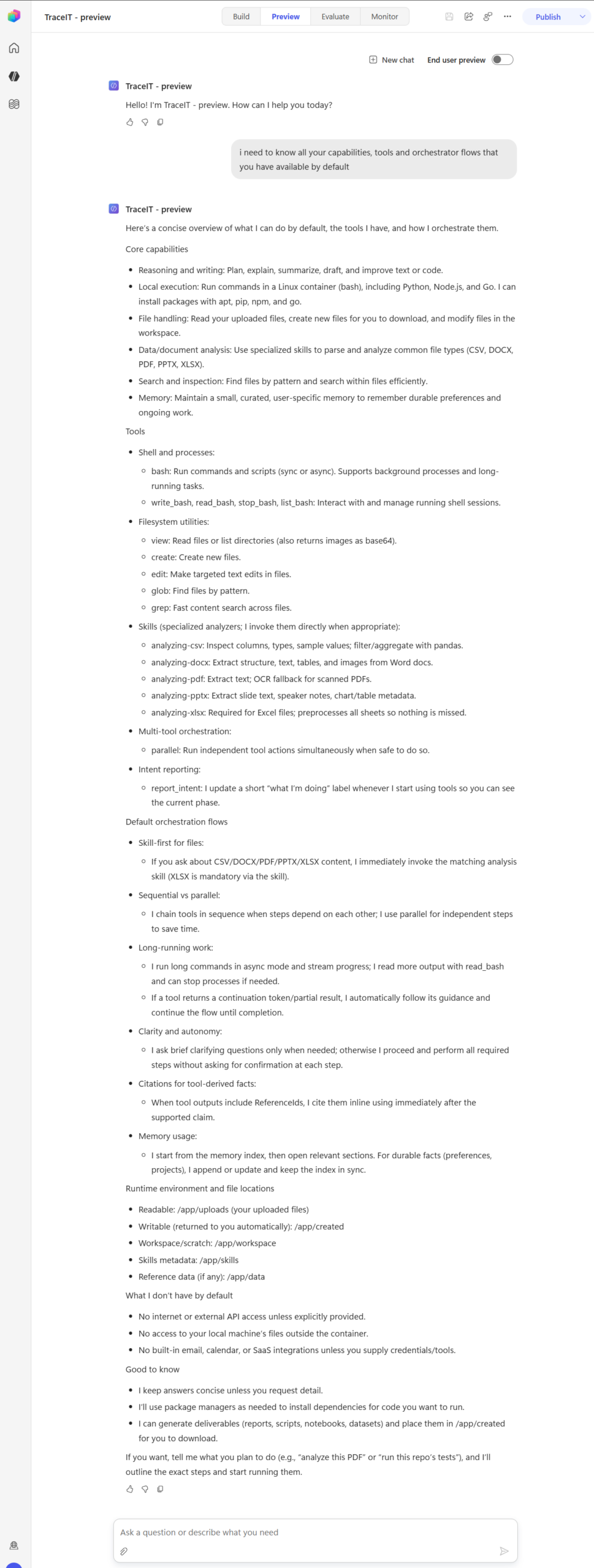
Several interesting capabilities are already evident. File processing appears significantly improved compared to the non-preview version, where file uploads were largely unusable and often required building a dedicated topic to handle user-submitted files. Another notable addition is support for Python and Bash scripting. This is particularly promising, as it enables the creation of custom reports and visualizations directly within agents.
Core capabilities
- Reasoning and writing: Plan, explain, summarize, draft, and improve text or code.
- Local execution: Run commands in a Linux container (bash), including Python, Node.js, and Go. I can install packages with apt, pip, npm, and go.
- File handling: Read your uploaded files, create new files for you to download, and modify files in the workspace.
- Data/document analysis: Use specialized skills to parse and analyze common file types (CSV, DOCX, PDF, PPTX, XLSX).
- Search and inspection: Find files by pattern and search within files efficiently.
- Memory: Maintain a small, curated, user-specific memory to remember durable preferences and ongoing work.
Tools
- Shell and processes:
- bash: Run commands and scripts (sync or async). Supports background processes and long-running tasks.
- write_bash, read_bash, stop_bash, list_bash: Interact with and manage running shell sessions.
- Filesystem utilities:
- view: Read files or list directories (also returns images as base64).
- create: Create new files.
- edit: Make targeted text edits in files.
- glob: Find files by pattern.
- grep: Fast content search across files.
- Skills (specialized analyzers; I invoke them directly when appropriate):
- analyzing-csv: Inspect columns, types, sample values; filter/aggregate with pandas.
- analyzing-docx: Extract structure, text, tables, and images from Word docs.
- analyzing-pdf: Extract text; OCR fallback for scanned PDFs.
- analyzing-pptx: Extract slide text, speaker notes, chart/table metadata.
- analyzing-xlsx: Required for Excel files; preprocesses all sheets so nothing is missed.
- Multi-tool orchestration:
- parallel: Run independent tool actions simultaneously when safe to do so.
- Intent reporting:
- report_intent: I update a short “what I’m doing” label whenever I start using tools so you can see the current phase.
Default orchestration flows
- Skill-first for files:
- If you ask about CSV/DOCX/PDF/PPTX/XLSX content, I immediately invoke the matching analysis skill (XLSX is mandatory via the skill).
- Sequential vs parallel:
- I chain tools in sequence when steps depend on each other; I use parallel for independent steps to save time.
- Long-running work:
- I run long commands in async mode and stream progress; I read more output with read_bash and can stop processes if needed.
- If a tool returns a continuation token/partial result, I automatically follow its guidance and continue the flow until completion.
- Clarity and autonomy:
- I ask brief clarifying questions only when needed; otherwise I proceed and perform all required steps without asking for confirmation at each step.
- Citations for tool-derived facts:
- When tool outputs include ReferenceIds, I cite them inline using immediately after the supported claim.
- Memory usage:
- I start from the memory index, then open relevant sections. For durable facts (preferences, projects), I append or update and keep the index in sync.
Runtime environment and file locations
- Readable: /app/uploads (your uploaded files)
- Writable (returned to you automatically): /app/created
- Workspace/scratch: /app/workspace
- Skills metadata: /app/skills
- Reference data (if any): /app/data
Compatibility with Non-Preview Agents: Can They Be Used or Migrated to the New Architecture?
Even when using the preview version of Copilot Studio, non-preview agents remain visible in the interface. However, opening them redirects you to the classic architecture, complete with its original topics, triggers, and components.
Importantly, agents created in the classic (non-preview) Copilot Studio cannot be migrated to the new rebuilt experience. Simply opening a classic agent within the new interface does not trigger any migration or conversion process.
Agent General Settings: Moderation
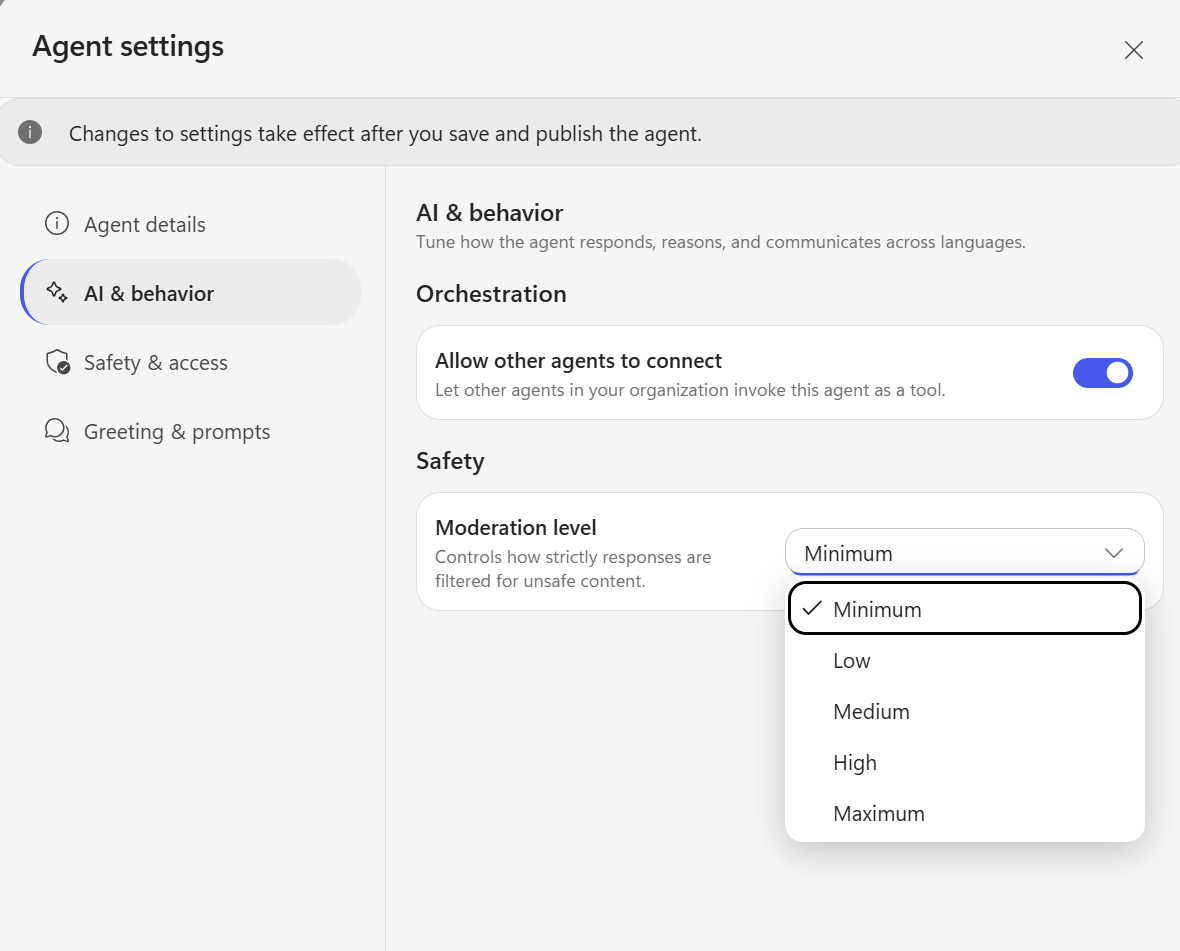
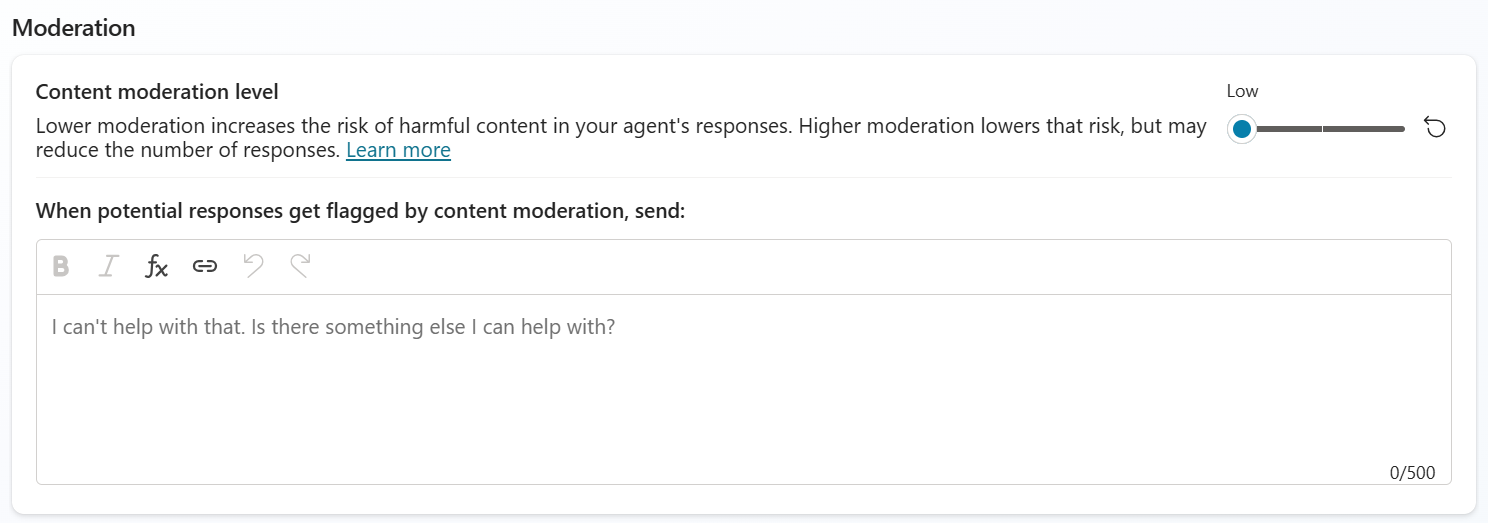
A new moderation level has been introduced, which I hope to address some of the overly conservative content filtering previously in place. While building the TraceIT agent, I frequently encountered issues where the content filter was incorrectly triggered. For example, when a user asked about a “computer not turning on,” the agent’s attempt to guide them through turning it on would immediately flag the response as potential sexual content. Previously, the only way to reduce these false positives was to lower the moderation setting. With the new options now available, including a Minimum level, there is greater flexibility to balance safety and usability.
-
- Copilot Studio preview moderation
-
- Copilot Studio moderation
Greeting message
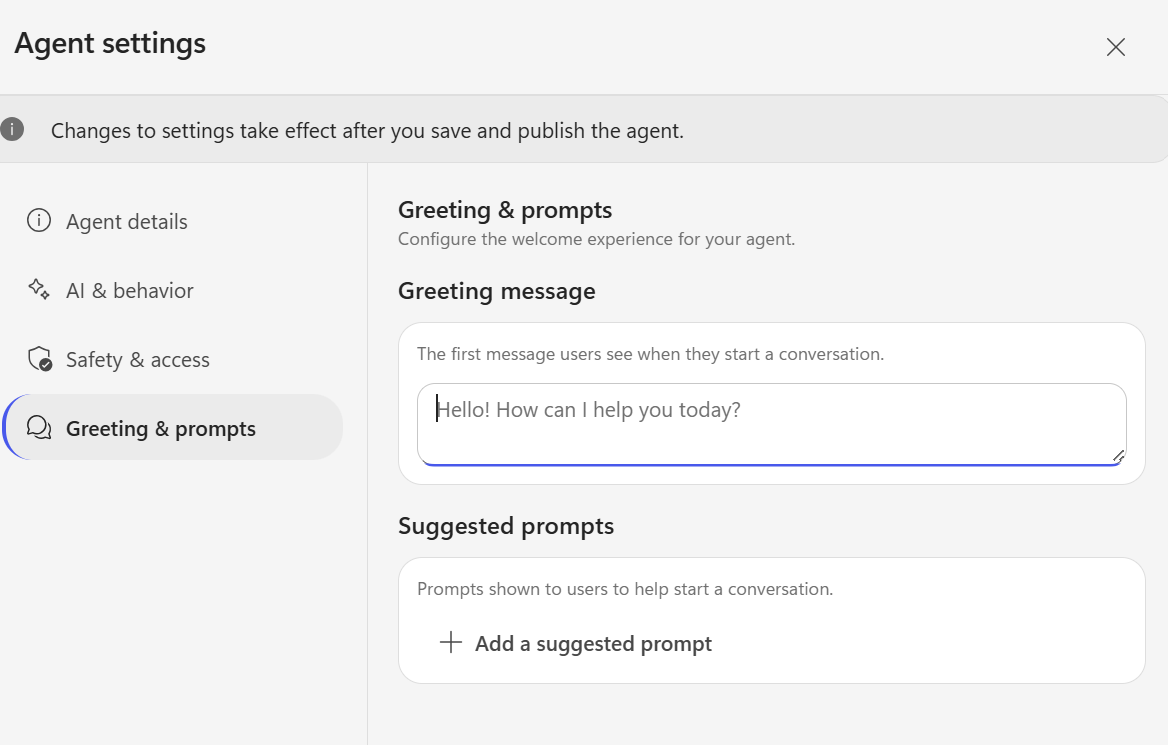
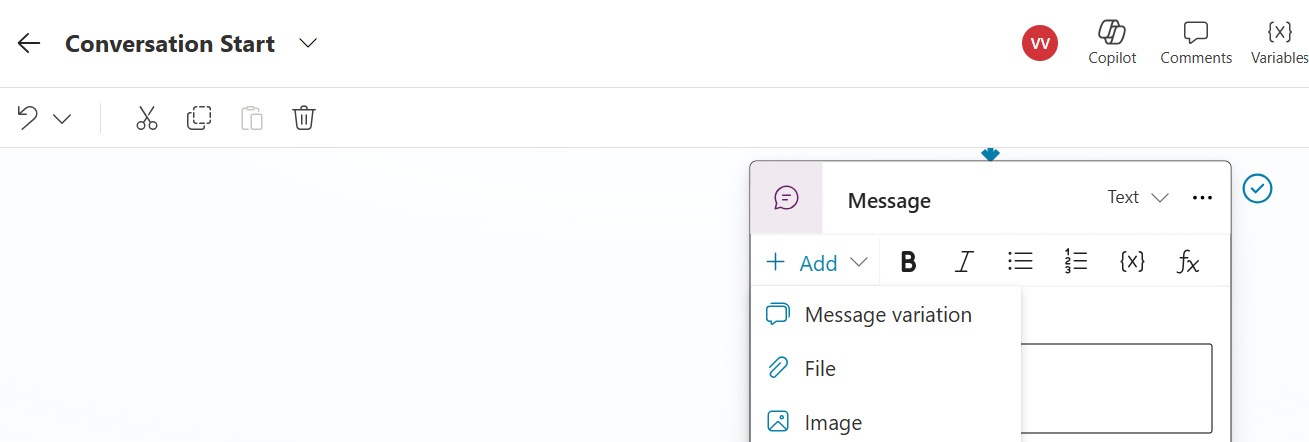
In the classic (non-preview) version, the Send Message node supported multiple message variations. In the new preview experience, however, only a single greeting message can currently be configured.
-
- Copilot Studio preview greeting
-
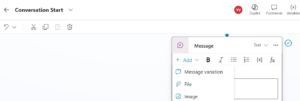
- Copilot Studio greeting
The new user interface is currently unstable and contains several critical issues:
-
Favorited actions cannot be added directly by clicking on them. However, manually searching for the same action and selecting it successfully adds it to the flow
-
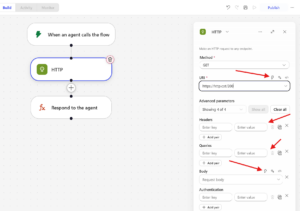
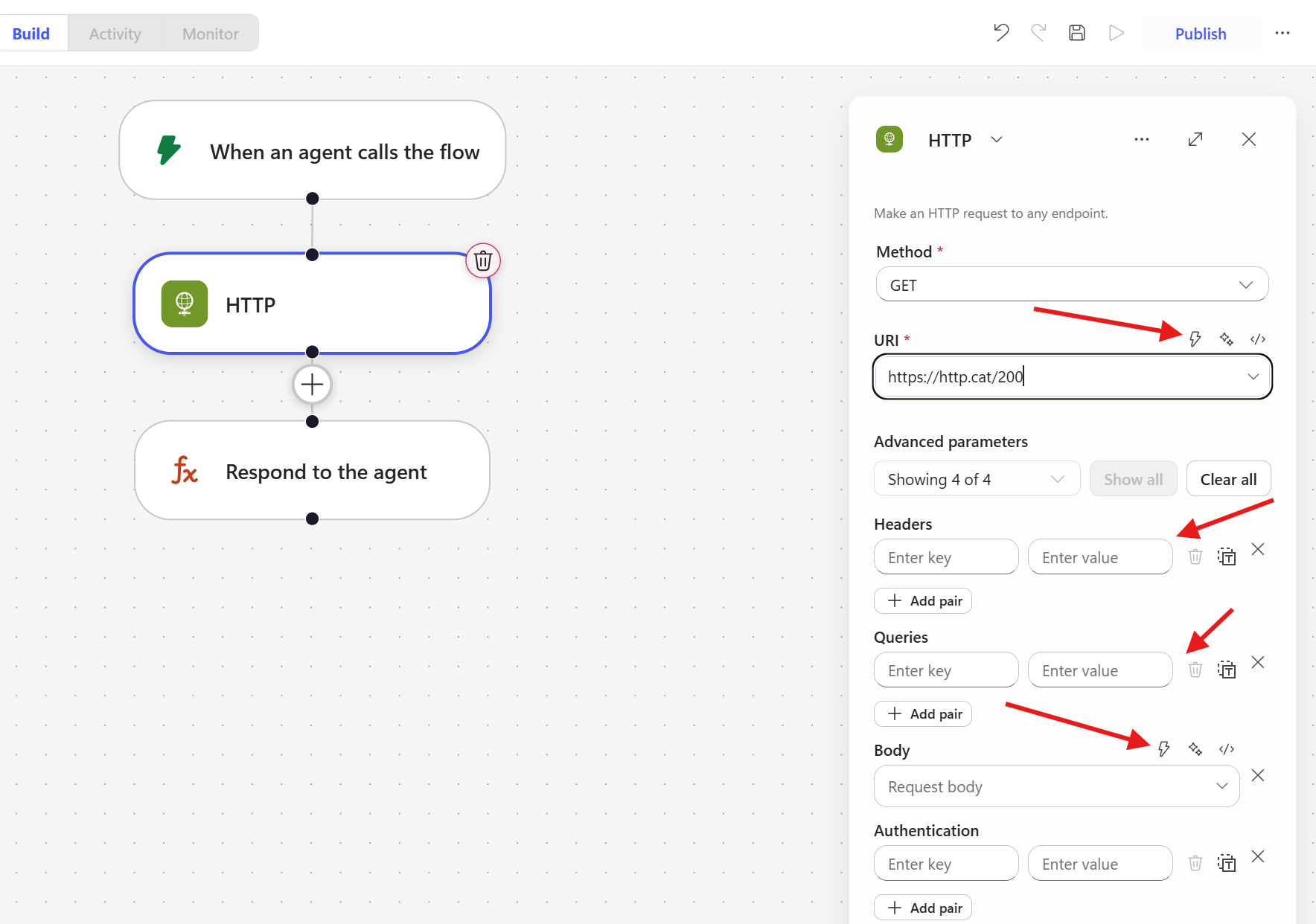
In the new preview interface, the ability to insert dynamic values is not available across all fields in the HTTP action:
-
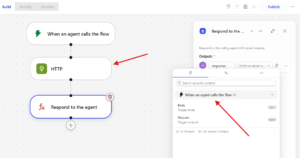
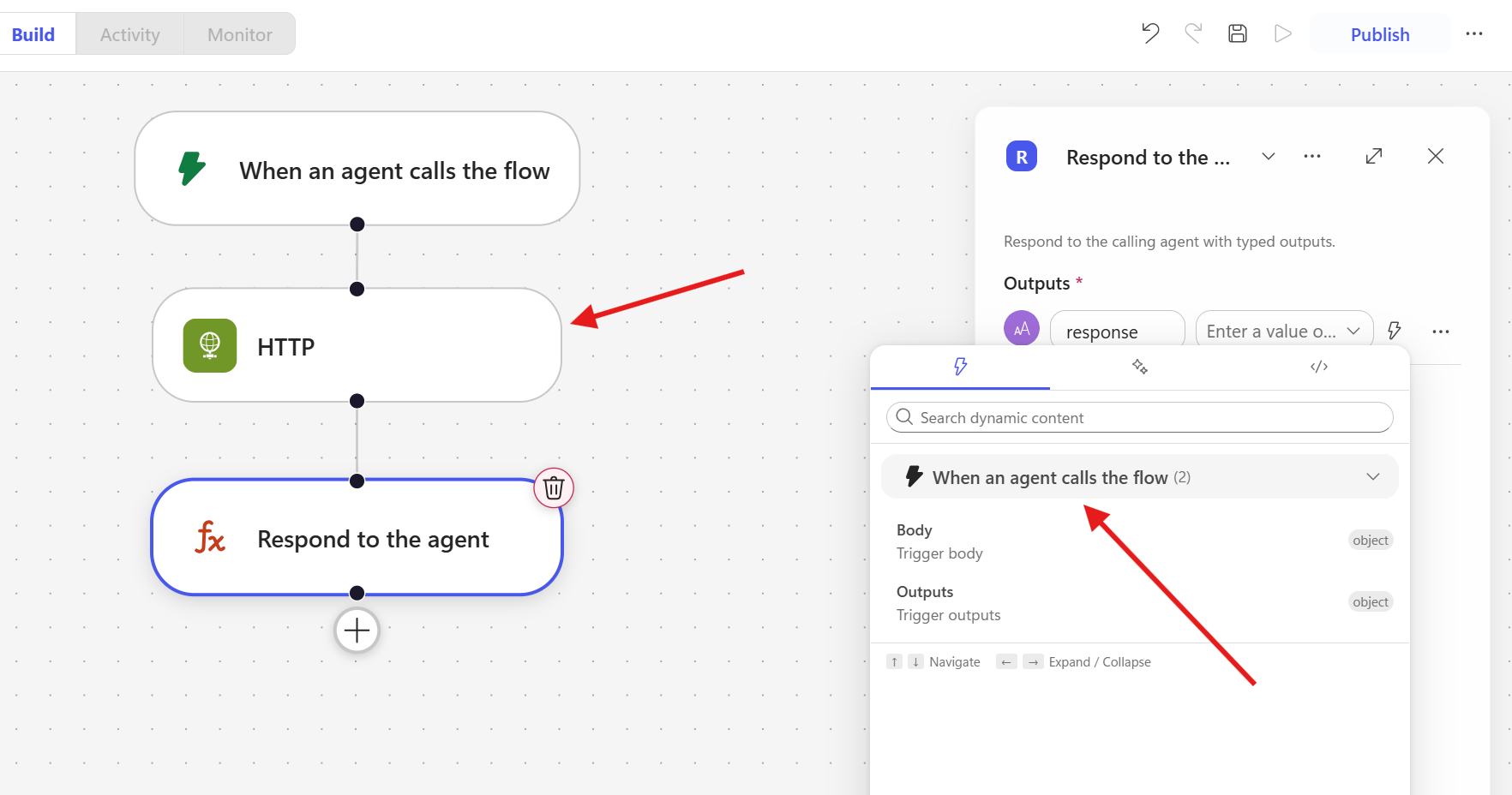
A notable limitation in the current preview is that outputs from previous actions do not appear in the dynamic content picker of subsequent steps. As shown in the example, after an HTTP action, the dynamic content selector in the following “Respond to the agent” step only displays outputs from the trigger. The HTTP action’s response is not available for selection:
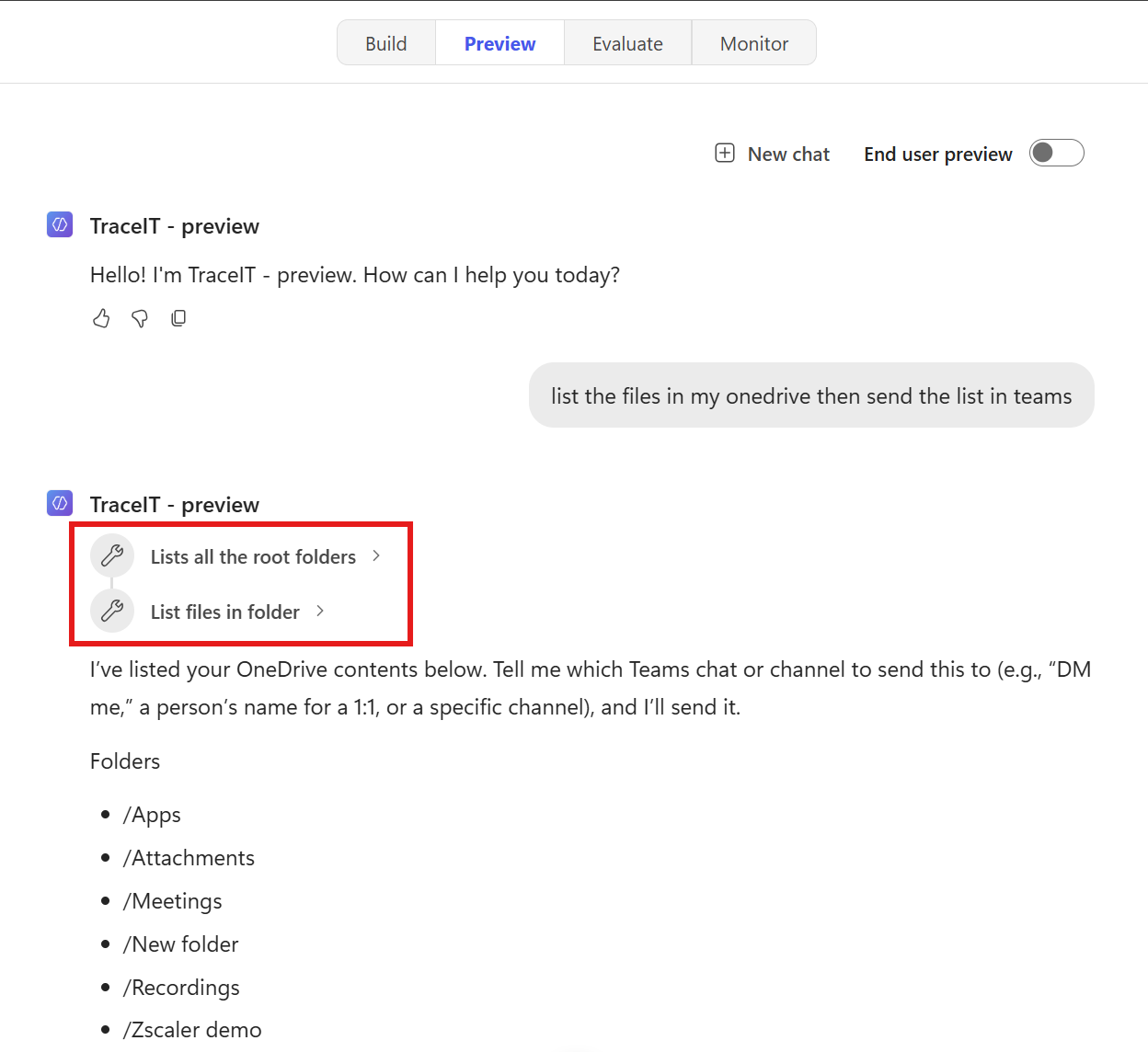
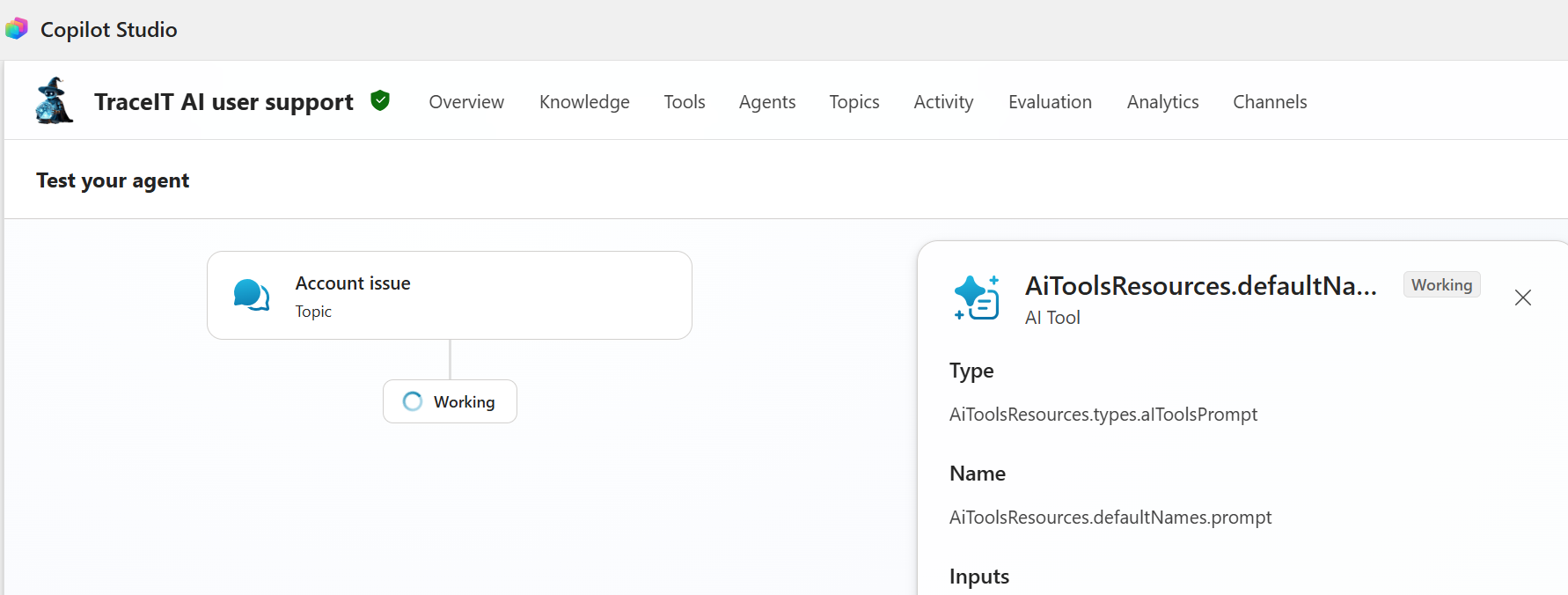
Activity map is now inline reasoning:
-
- Copilot Studio preview reasoning
-
- Copilot Studio activity map
Loss of Granular Control over Generative Answers:
In the classic (non-preview) experience, developers had two important mechanisms for controlling agent behavior. The Generative Answers node allowed granular control over knowledge sources, enabling developers to configure whether the agent should search only within selected knowledge bases or also include results from the web. Additionally, Topics provided a way to fine-tune responses for specific subjects and scenarios.
In the new preview workflows, both of these capabilities have been significantly reduced. The dedicated Generative Answers node no longer exists, and the traditional topic-based authoring model has been replaced. As a result, users have lost much of the fine-grained control they previously had over how and where the agent retrieves and generates answers.
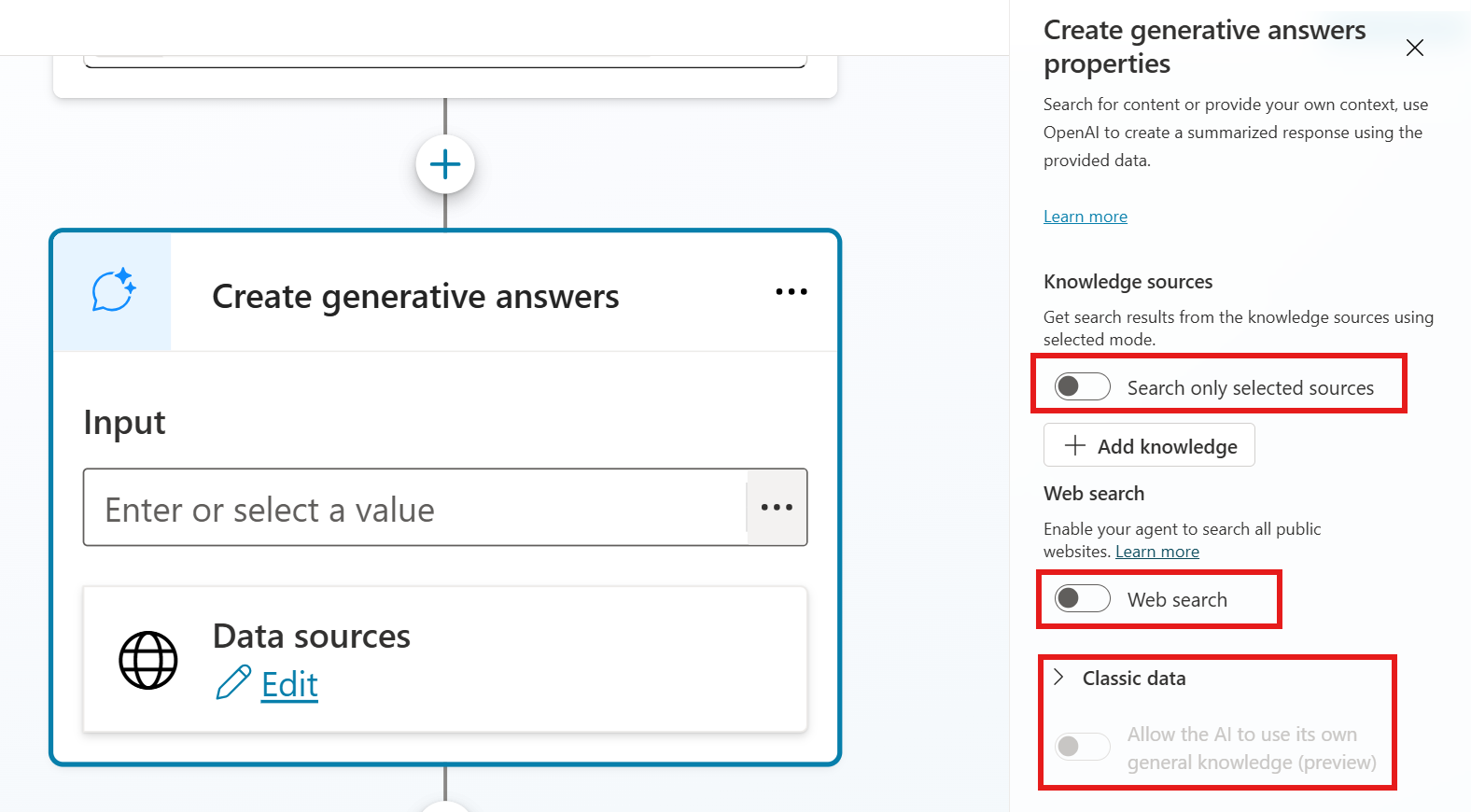
Copilot Studio generative answers node
Work IQ / Microsoft IQ / Foundry IQ
Work IQ is already available in the classic (non-preview) Copilot Studio. It functions as an intelligence layer that connects agents to organizational context from Microsoft 365. When enabled, it activates a set of MCP tools that give the agent access to signals from Outlook, Teams, files, Word, Excel, and other productivity services. This allows agents to personalize responses based on real workplace activity and collaboration patterns.
In the new preview experience, these MCP tools are exposed more directly and with greater granularity. Developers can selectively enable and configure specific tools rather than activating a broader M365 context package at once. This represents a shift from a more monolithic integration model to a more modular, controllable tool ecosystem.
On top of this foundation, Microsoft is introducing the broader Microsoft IQ framework. Activating Microsoft IQ unlocks additional intelligence layers, most notably Foundry IQ.
Foundry IQ marks a significant technical evolution beyond traditional Retrieval-Augmented Generation (RAG). While classic RAG systems typically perform single-query retrieval against a knowledge base, Foundry IQ introduces an agentic retrieval engine built on Azure AI Search. It employs query planning, self-reflective reasoning, and multi-step retrieval strategies to dynamically construct and refine context before passing it to the agent.
Furthermore, Foundry IQ is designed to operate across multiple governed enterprise data sources in a unified way, something that was difficult to achieve with earlier RAG implementations in Copilot Studio. This moves the architecture from simple semantic search toward a more intelligent, reasoning-driven retrieval layer capable of synthesizing context across heterogeneous enterprise systems.
Loss of Fine-Grained Control: Topics, Triggers, Variables, Decision Logic and others
One of the most significant changes in the new preview experience is the removal of the traditional topic-based authoring model. In the classic (non-preview) Copilot Studio, developers had full control over specific topic flows and decision chains. Topics, triggers, variables, if-conditions, search queries, and prompt nodes could be combined to create highly deterministic behavior.
This level of control was particularly valuable in high-stakes or precision-critical scenarios, such as IT support agents. In these environments, even minor variations - such as a single character in an ID, ticket number, or command - could lead to incorrect actions or misrouted requests. The ability to hardcode variables and explicitly define logic paths provided a reliable way to enforce structure and reduce ambiguity.
Additionally, many developers, including myself, built custom hallucination mitigation strategies within this model. By chaining multiple prompt and AI evaluation nodes, it was possible to create internal checks and balances where one node would validate or critique the output of another before responding to the user. This approach, offered a practical way to improve reliability in production environments.
In the new preview workflows, this entire layer of explicit control has been largely removed. The system has shifted toward a more generative, agentic model where decision-making is increasingly delegated to the underlying language models. While this brings new capabilities, it also raises important questions:
- Is the current technology mature enough to replace the deterministic control that many enterprise scenarios still require?
- How should developers now address hallucinations and ensure consistent, reliable behavior when the previous mitigation techniques (structured topics and chained evaluation nodes) are no longer available?
These are critical considerations for organizations moving from the classic experience to the new preview, especially in domains where accuracy and predictability remain non-negotiable.
Improved Skills and Tool Implementation
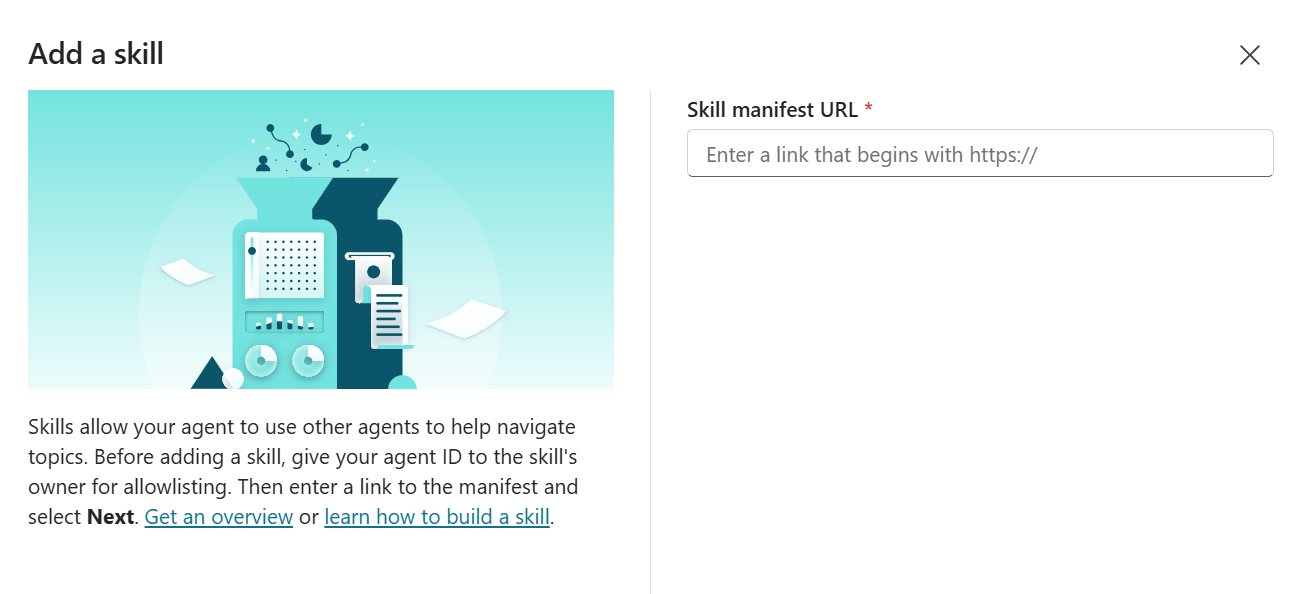
In the classic (non-preview) Copilot Studio, adding a skill to an agent required providing a publicly accessible URL. This created unnecessary friction, particularly during development, testing, and when working with internal or draft skills.
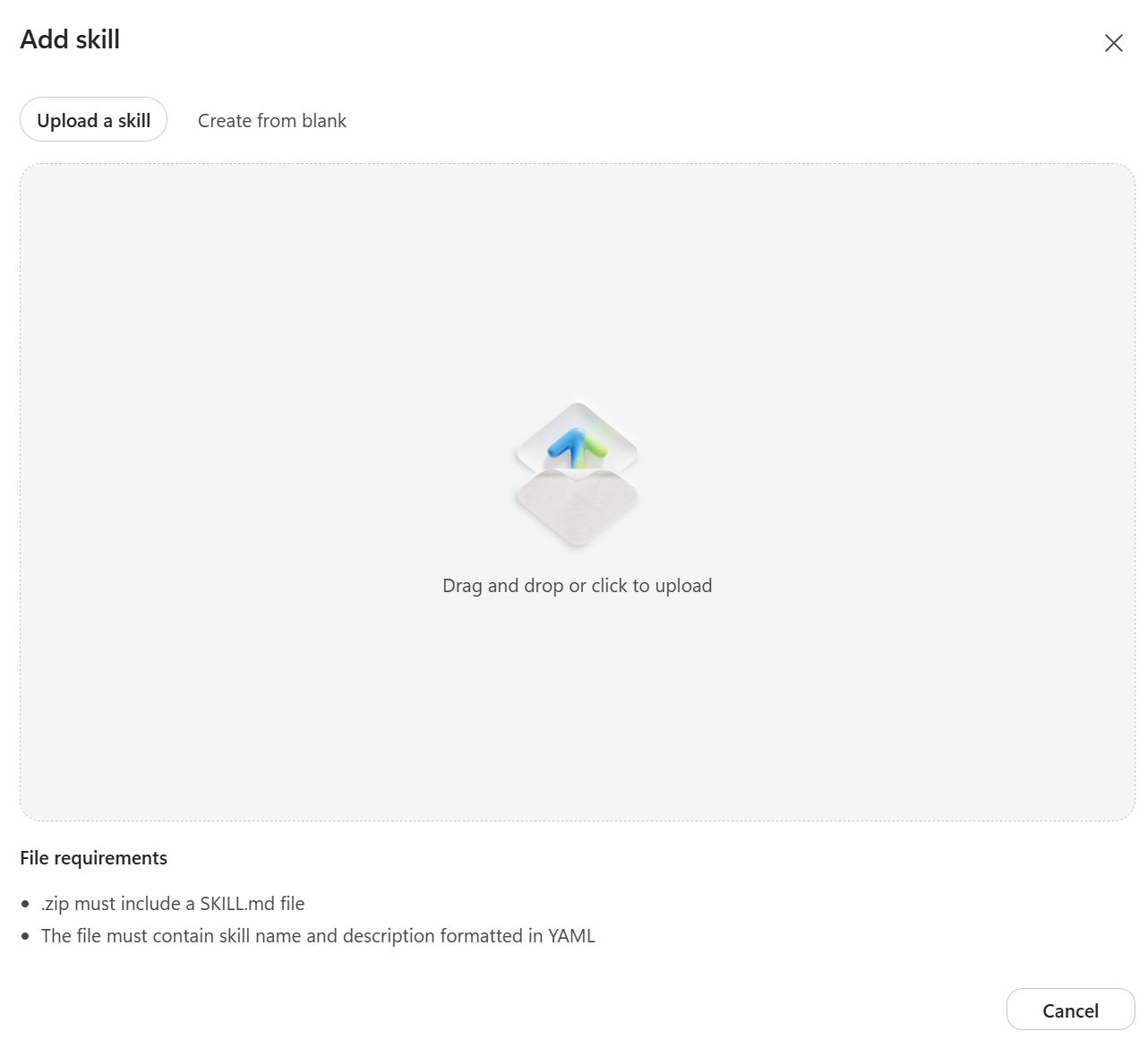
In the new preview experience, this limitation has been removed. Developers can now upload a skill.md file directly or manually create and configure skills within the interface. This represents a significant improvement in flexibility and developer experience, allowing skills to be added and iterated on much more efficiently.
-
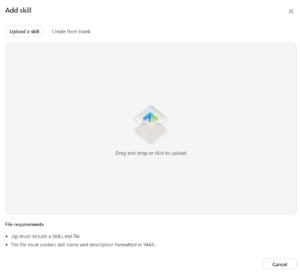
- Copilot Studio preview skills
-

- Copilot Studio skills
The new preview introduces several meaningful improvements over the classic experience. Skills can now be added much more flexibly, either by uploading a skill.md file or by creating them manually within the interface, eliminating the previous requirement for a publicly accessible URL. Memory functions have been enhanced, enabling agents to maintain richer and more persistent context across interactions. In addition, a broader set of tools and programming languages - including Python and Bash scripting - are now natively supported, opening the door to more advanced and customized implementations. Collectively, these advancements contribute to noticeably improved reasoning capabilities and higher-quality, more coherent responses from agents.
However, the shift to the new preview also introduces several significant trade-offs. Response times are noticeably slower than in the classic experience, which can affect user experience in time-sensitive scenarios. More importantly, agents built on the traditional topic-based model require substantial refactoring to align with the new workflows and agentic architecture. This is not merely a technical migration but a fundamental paradigm shift - moving away from explicit, deterministic control toward a more generative, reasoning-heavy model. Additionally, utilizing more advanced reasoning models comes with increased operational costs. Perhaps most critically, the reduced support for deterministic decision logic raises concerns for high-precision use cases, as the system now relies predominantly on probabilistic reasoning rather than structured, rule-based flows that developers could previously enforce with confidence.
Conclusion
At this stage, I recommend starting to actively experiment with the new preview. The most effective way to understand its real capabilities and limitations is to take one of your existing non-preview agents and attempt to rebuild it using the new workflows. This hands-on approach will give you the clearest picture of whether the preview meets the specific needs of your use case.
When deciding which environment to use going forward, consider the nature of your agent. If your agent is primarily focused on content and information retrieval, the preview is likely the better choice today, as it offers improved reasoning, memory functions, and more flexible tool integration. However, if your agent relies heavily on flows, connectors, and complex decision-making logic, I recommend staying in the non-preview environment for now, while continuously evaluating when feature parity improves enough to make the switch.
I expect both the classic (non-preview) and preview environments to continue running in parallel for the foreseeable future. Microsoft has a large number of enterprise agents already built on the classic platform, many of which generate ongoing revenue. Because of this, continued support for the non-preview experience remains strategically important - especially for sensitive or high-precision scenarios where deterministic decision trees are still required.
Looking ahead, I believe Microsoft will keep investing in both platforms while accelerating the fix of blocking issues in the preview as they push toward general availability.
Featured image generated with Grok Imagine
